This is how you issue a home tax cash receipt.
English TAX Guide2 min read
🚨 Please join the cash receipt franchise before issuing a cash receipt!
How to join the cash receipt franchise
Easily issue a cash receipt with a mobile app
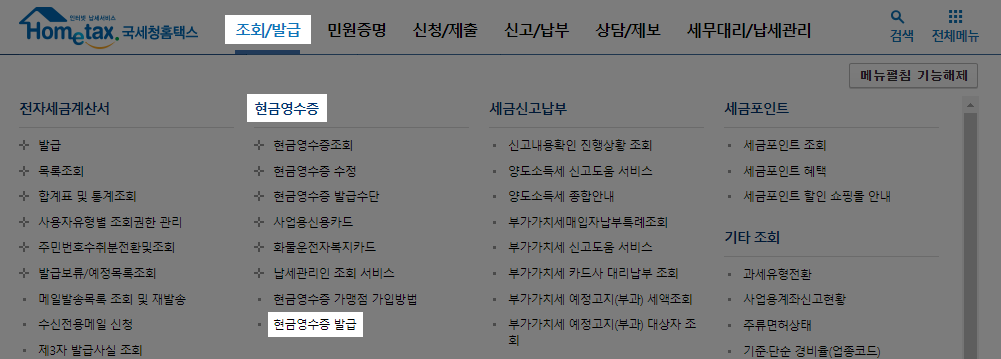
After logging in to the Home Tax website, click on [Inquiry/Issuance] - [Cash Receipt Issuance].
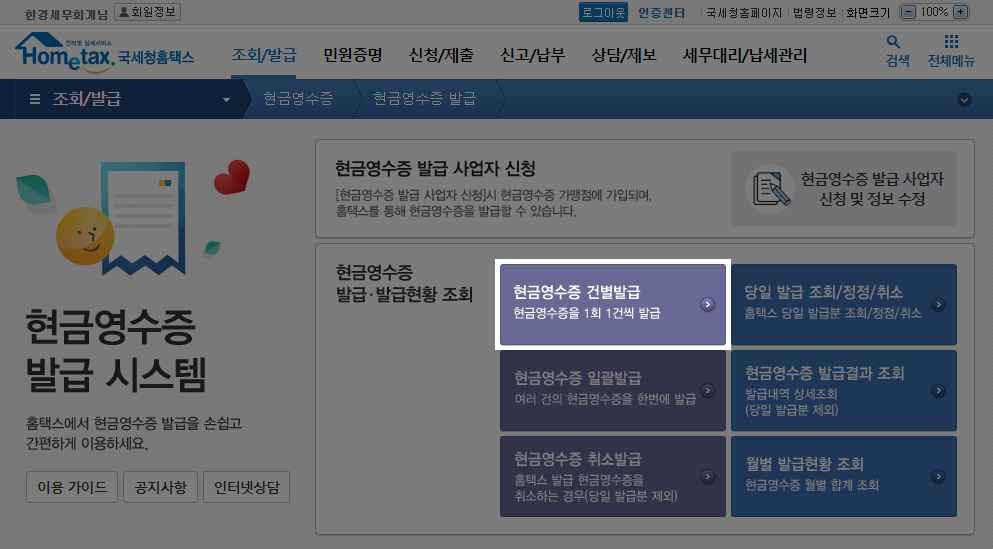
Press [Issuance of cash receipts by case].
If you want to issue multiple receipts at once, use the [Batch Issuance of Cash Receipts] menu.
Enter the required information and press [Request Issuance].
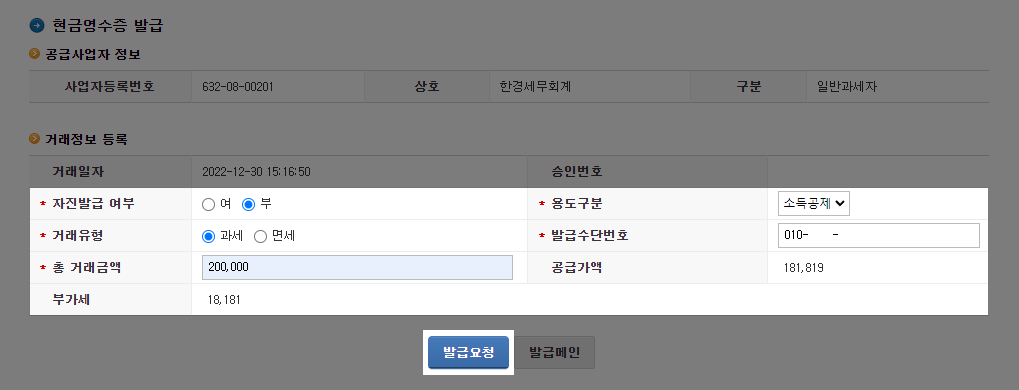
- Voluntary Issuance
If you know the information required for the issuance, such as the recipient's mobile phone number or business registration number, select Yes, otherwise select No.
- Purpose of Issuance
If the recipient is a business and requires proof of expenses, select Expense Verification to issue the receipt.
If the recipient is not a business or has no specific request, select Income Deduction to issue the receipt.
- Transaction Type
Select Taxable or Tax-Exempt depending on the tax status of the goods or services being sold.
- Issuance Method Number
Enter the recipient's mobile phone number, card number, business registration number, or resident registration number, which is required to issue the cash receipt.
- Total Transaction Amount
Enter the total transaction amount, including value-added tax, and the supply price and value-added tax will be automatically separated and reflected.